Introduction
Picture this scenario:
As a malware analyst for a large organization and part of the Incident Response Team, you receive numerous malicious samples from SOC analysts as well as Digital Forensics analysts. The samples may range from benign to very malicious malware and the only way to find out is through analyzing the samples one by one.
Manual analysis of numerous samples becomes increasingly difficult and time-consuming. To address this challenge, automation of the malware analysis process has become crucial for security professionals. By automating the analysis of malware samples, security teams can quickly detect and respond to new threats, allowing them to better protect their organization’s systems and data.
This is where Blue-Jupyter comes in.
Blue Jupyter
Blue Jupyter is an open-source project that provides an interactive and collaborative environment for incident response, log analysis and malware analysis. For this article, we are going to focus on the malware analysis part of the tool however, I strongly encourage you to look at the other areas mentioned.
The project contains python scripts that aim to ease the basic static analysis stage of malware analysis and ‘weed’ out the benign malware leaving only the highly malicious ones for advanced analysis. The amount of time and effort saved with this tool is invaluable.
How it works
Blue-Jupyter leverages on the scripting power of Python programming language and the streamlined document-centric experience of Jupyter notebook to provide an effective tool for automating the malware analysis process in the following major ways:
a. Calculate the sha256 hashes of the samples collected.
b. Defang the malware sample by adding an extension to the end of the file to prevent accidental detonation of the malware.
c. Run the generated hashes through Virus Total to determine whether they are malicious or not.
d. Extract strings from the malware samples for generation of IOCs and detection rules.
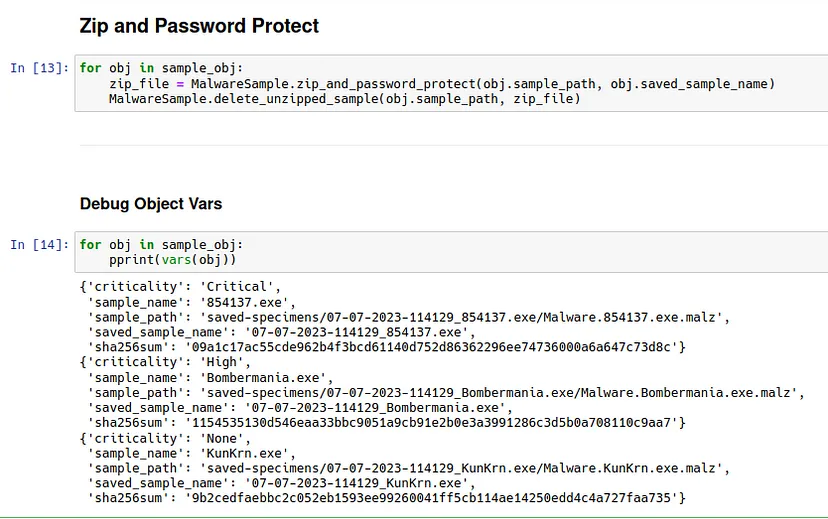
e. Creates a password protected zip folder for the malware sample for ease of transfer.
Prerequisites and Installation
For installation on a fresh Linux OS, the following dependencies need to be met for the various modules to work:
- stringsifter
- poetry
- jupyter
- virustotal
- pyminizip
After installing the dependencies, follow the steps outlined below to get started;
- Install Jupyter Notebooks and poetry:
pip3 install jupyter
pip3 install poetry
sudo apt install python3-poetry
- Clone the repo and cd into the directory:
git clone <https://github.com/mttaggart/blue-jupyter.git> && cd blue-jupyter
poetry install
- Start a poetry shell and go to the directory of the notebook you want to run. Then, start the Jupyter server:
poetry shell
cd [notebook-directory]
jupyter notebook
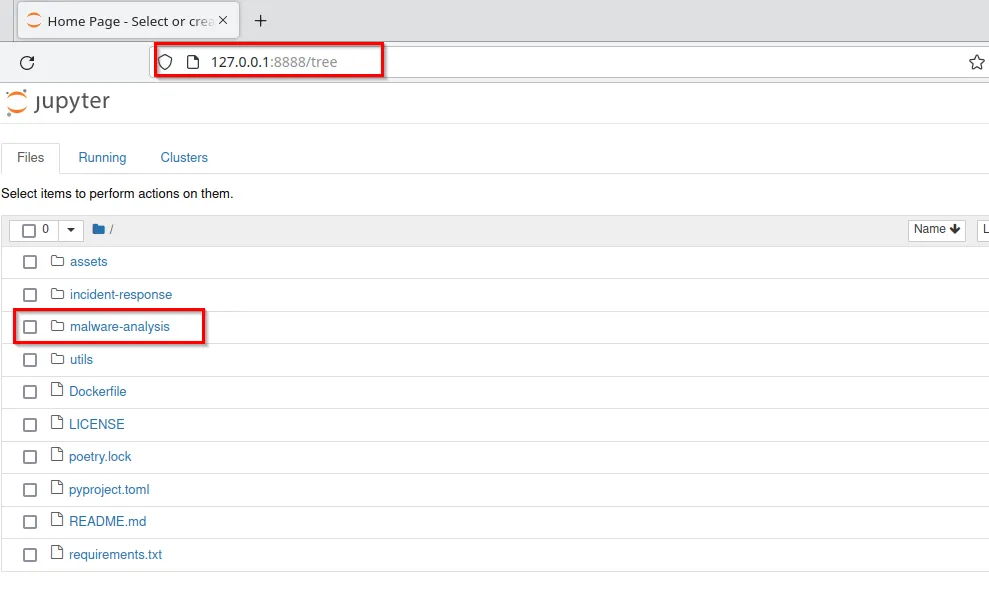
After starting up jupyter notebook, navigate to https://127.0.0.1:8888 to access the web console and open Malware-Analysis.ipynb file in the blue-jupyter/malware-analysis directory to view the notebook.
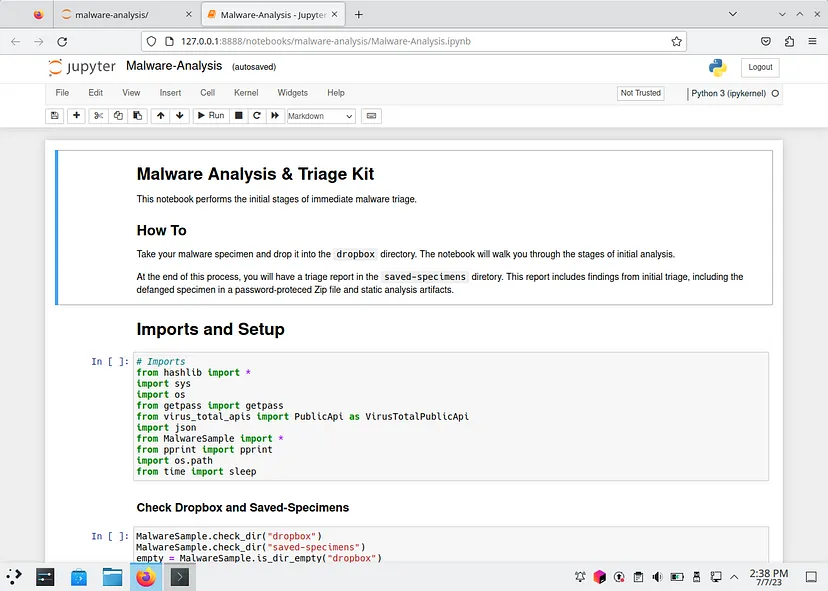
Copy the malware samples intended for analysis on the folder blue-jupyter/malware-analysis/dropbox which acts as the working folder and start running the scripts systematically.
a. Checks if the required directories exist and prompts the user to add samples into the ‘dropbox directory if empty
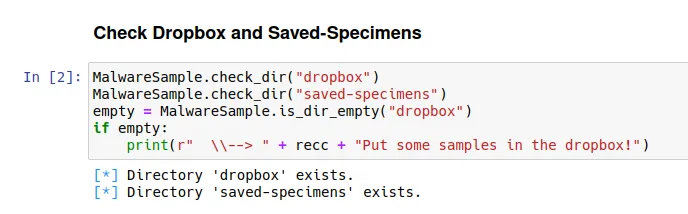
b. Enumerates the contents of the dropbox directory and creates separate directories for the specimens/samples in the ‘saved-specimens’ directory
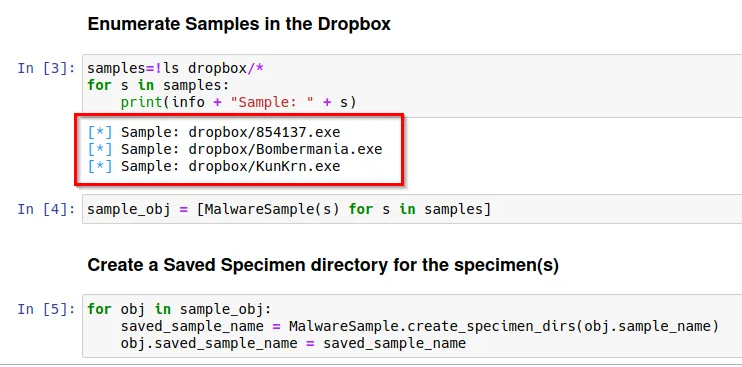
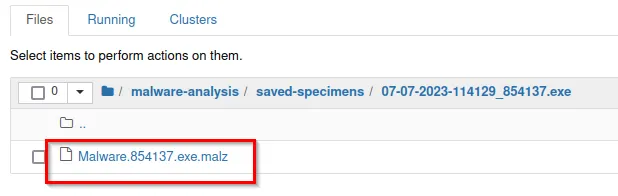
c. Defang the samples to prevent accidental detonation by adding an extension to files. In this instance an extension of ‘.malz’ was added to the samples.
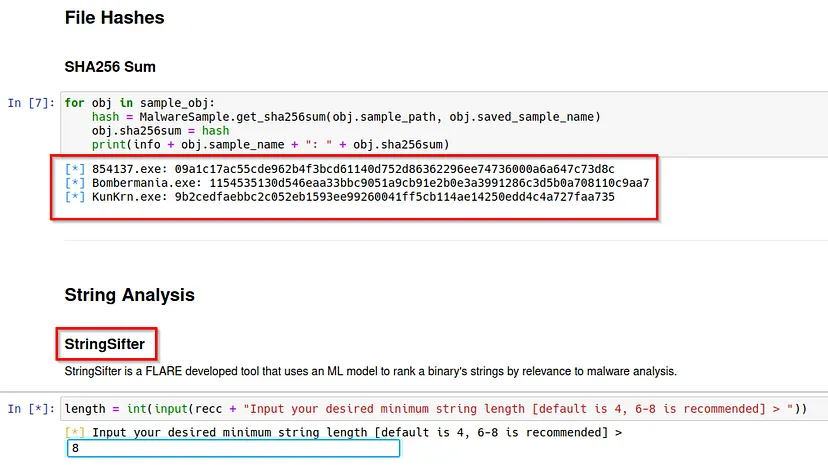
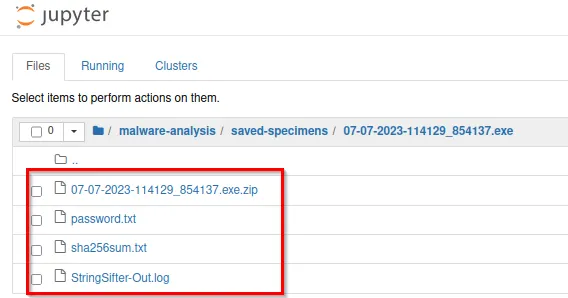
d. It calculates the sha256sum of the samples which will be used to obtain Virus Total scores. It also obtains the strings of the samples using StringSifter, which is a tool developed by FLARE that uses a Machine learning model to rank a binary’s strings by relevance to malware analysis. The output is written in a StringSifter-Out.log file.

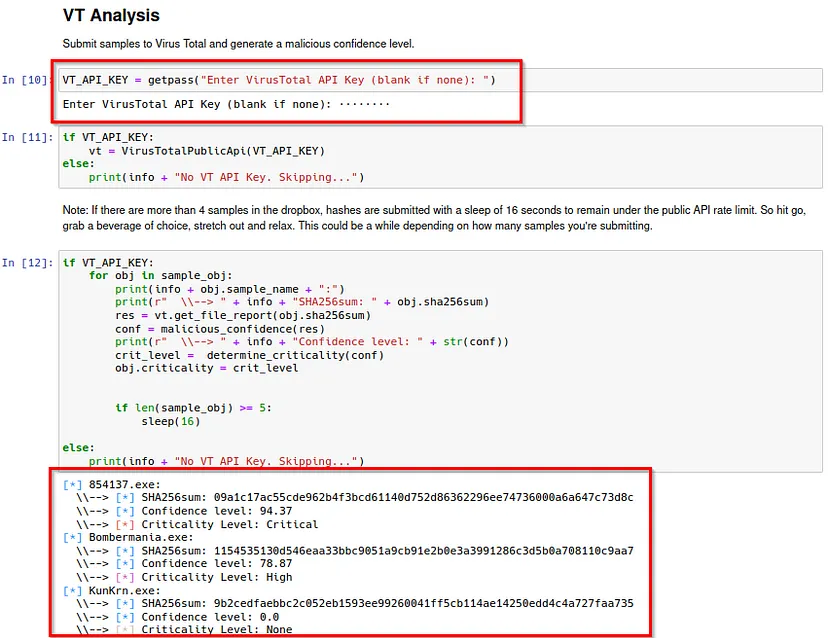
e. On the Virus Total Analysis, obtain an API Key from virustotal.com for the tool to generate a malicious confidence level.
f. The generated output will be stored in the respective sample folders including the password protected zip folder generated at the end of the script.
The use of Blue Jupyter for malware analysis automation is a promising approach that can enhance the efficiency and effectiveness of the malware analysis process. With Blue Jupyter, researchers and analysts can easily perform static analysis on multiple malware samples, analyze results, and generate reports.
The possibilities are endless for this collaborative tool and feel free to contribute to the project on https://github.com/mttaggart/blue-jupyter and follow the authors https://github.com/mttaggart and https://github.com/HuskyHacks. Huge kudos to them for creating such a great tool.
Happy learning 😃